A smoother checkout
Find products by barcode or IMEI, combine phones and accessories, apply authorized discounts and record cash, card, transfer or customer credit.
- 58 / 80 mm receipt previews
- Linked returns and exchanges
Built for electronics & mobile retailers
Sell at the counter. Know your stock. Stay on top of customer credit and repairs. RetailPro brings the work behind your shop into one connected workspace.
Windows Solo · Windows LAN · Customer-hosted option
DEMO Sample Electronics
Everything stays connected.
Made for the way your shop works
Replace scattered notebooks and disconnected records with a workspace that follows every product, payment and repair.
Find products by barcode or IMEI, combine phones and accessories, apply authorized discounts and record cash, card, transfer or customer credit.
Manage brands, categories and variants. Track individual devices by serial or IMEI, receive purchases and move stock between branches.
See who owes what with customer Khata statements. Record partial collections and follow balances back to the original invoice.
Record repair intake and device condition, assign technicians, track parts and work, then invoice and record delivery with agreed warranty dates.
Bring supplier payments, expenses and customer receipts into a source-linked cashbook. Compare your recorded balances with the actual daily count.
Review sales, original-cost profit, stock and dues by branch or period. Give each staff member access appropriate to their role.
Inside RetailPro
Explore real screens from the software. These screenshots use sample test data. Select a screenshot to see it at full size.
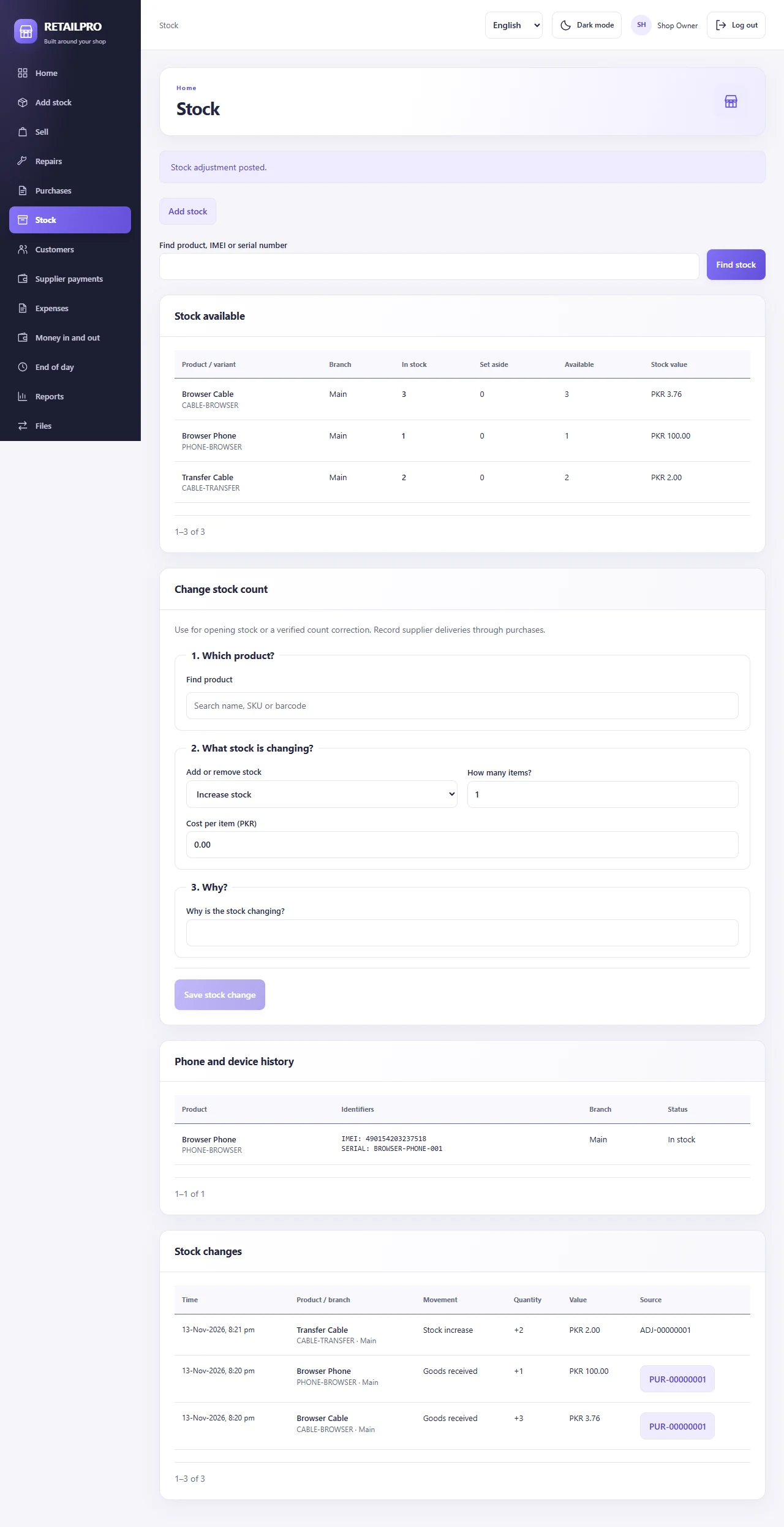
Find products, check available quantities and follow serial or IMEI records.
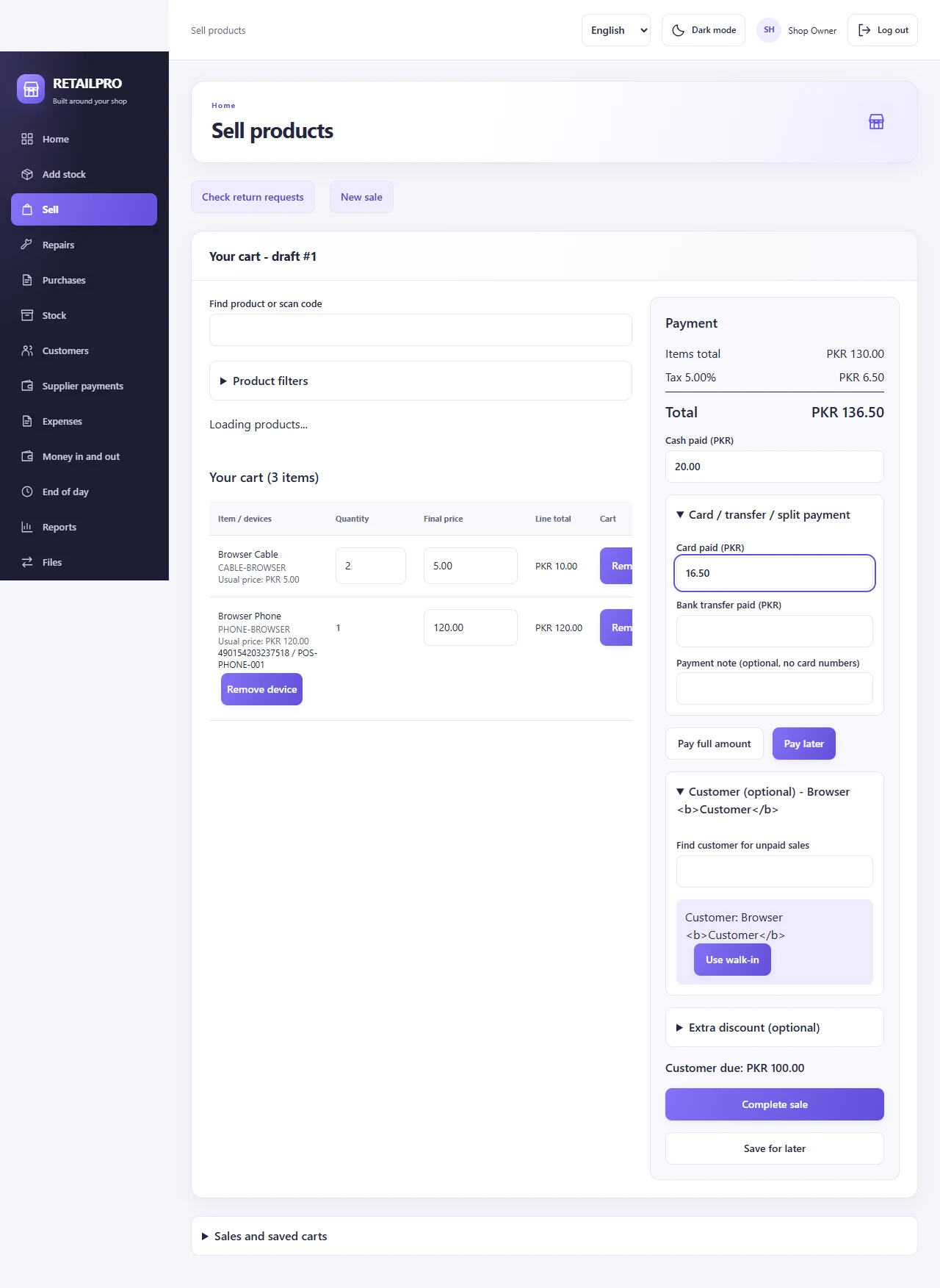
Review items and prices, record payments and complete a sale in one workspace.
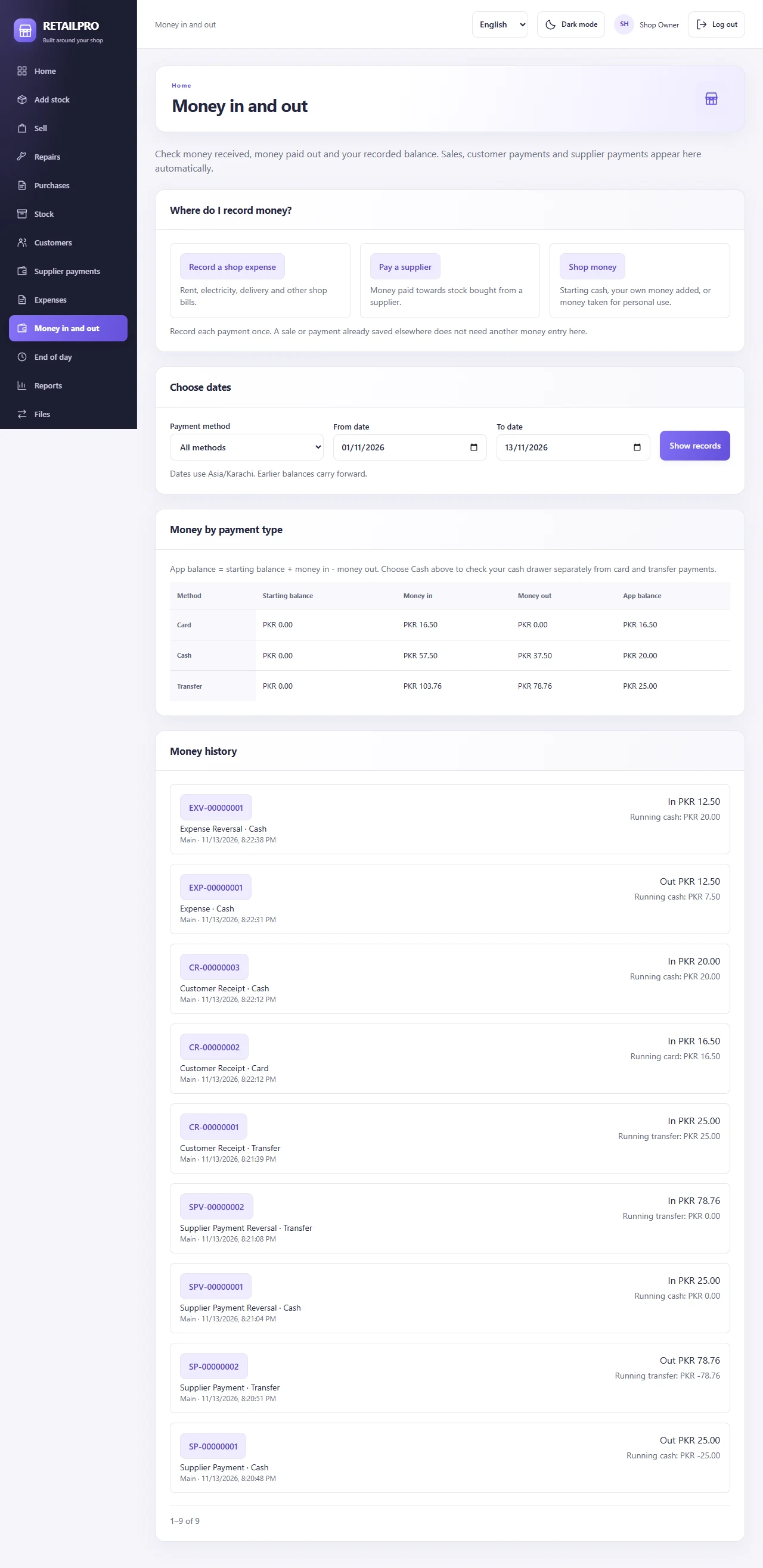
See recorded money in, money out and balances across cash, card and transfer.
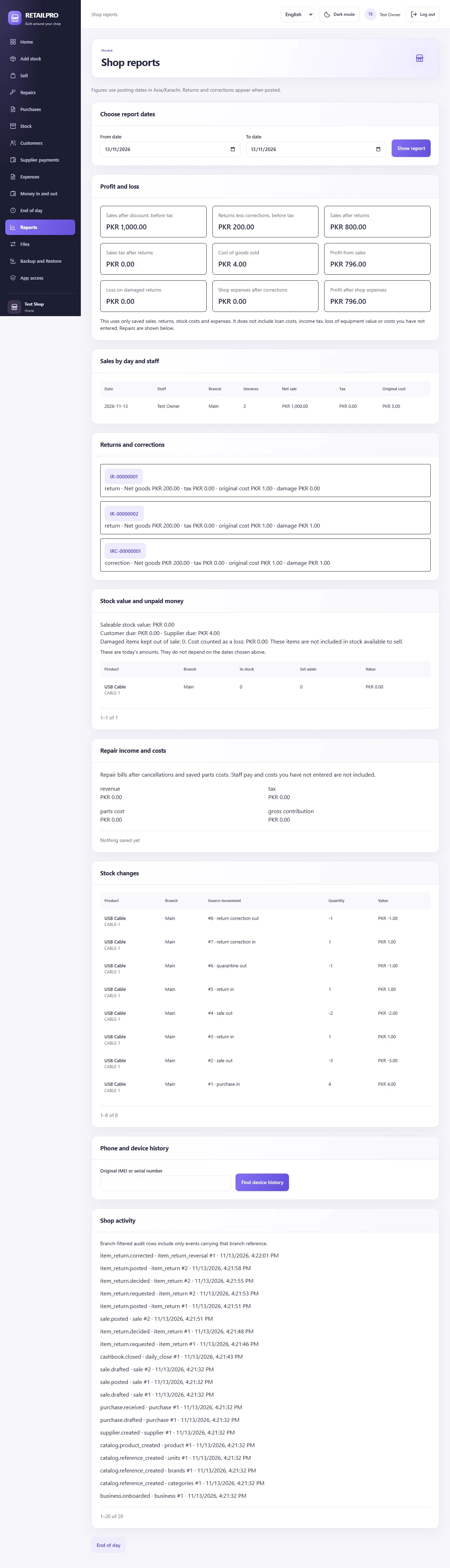
Review sales, returns, stock costs and expenses with the records behind the totals.
01 / The everyday workflow
Each role sees the tools for its work. Owners keep the wider picture.
Find a product or scan its identifier, review the saved total, then record cash, card, transfer or approved customer credit. Print from the posted invoice.
Posted invoice
DEMO-00000001Source-linked history| Item | Recorded value |
|---|---|
| USB cable × 2 | PKR 500 |
| Payment method | Cash |
| Remaining cable stock | 18 units |
Receipt printing reads the saved invoice. It does not post a second sale.
02 / The record behind the number
Receive purchases, follow serial and IMEI history, move stock between branches and record verified count adjustments.
Customer balances and supplier dues link to their original documents. Partial payments and corrections keep their history.
Bring recorded cash flows, expenses and physical counts together. Separate recorded sales from actual cash and profit.
Encrypted recovery sets include the database, local media and the keys needed to read them. Rehearse a restore and keep the recovery key separately.
03 / Choose the shape of your shop
Start with one computer, connect your shop counters or discuss a server deployment. We will help scope the setup that suits your workflow.
Windows Solo
For a single-counter shop that wants its records on its own computer.
Installation and recovery proof available for controlled testing.
Windows LAN
For several staff members working over a private shop network.
Service, physical-client and clean-server acceptance remain required.
Customer-hosted
For a business that wants a customer-controlled server with an administrator.
Prepared locally; fresh Linux server acceptance is pending.
Request a quote for your counters, branches and installation needs. Pricing and support terms are confirmed with you before purchase. Hosted access requires an internet connection.
Your next step
Tell us how your shop runs. Get a walkthrough, discuss your requirements and request the right installer and license for your setup.
WhatsApp only: +92 311 4737535
Scan with your phone camera to ask about a demo, pricing or installation.
RetailPro for Windows
Desktop Solo keeps your records on the shop computer and supports local operation without internet.
Installer supplied on request. Contact us for availability, licensing and setup requirements.
Current build is available for evaluation. Confirm your Windows setup, printer and scanner compatibility with us before live use.
04 / Get ready for your walkthrough
Bring a typical sale, your device requirements and a list of the records you manage today. A walkthrough helps confirm the details before you buy.
This checklist stays in your browser. It submits no shop or contact information.
A few useful answers
Windows Solo runs on the shop computer. Windows LAN uses the private shop network. These modes support local operation; a customer-hosted internet deployment needs a working connection.
The implemented license policy preserves read access and authorized exports after expiry. Licensing does not encrypt or delete your shop records. Final commercial terms are still being prepared.
Verified encrypted sets include the database, local media, application encryption keys and licensing identity. The recovery key is essential. Keep it separately and rehearse recovery; server credentials, certificates and deployment settings need their own protected copies.
Yes. Contact us on WhatsApp or email to arrange a walkthrough and request a quote. Tell us your shop type, number of counters, branches and whether you need repairs. We will confirm installation, license and support terms before you buy.